 Grid Co
Updated
Facebook Collage Maker
A Facebook collage maker joins several photos into one picture for a post or Story. Grid Co is a free iPhone app that saves Post 1:1, Portrait 4:5 and Story 9:16 collages as JPEG. Choose a layout or a family template, add up to 20 photos, tap Share, then upload the saved picture in the Facebook app.




How it works
- Decide where it will go, then tap Format for Post 1:1, Portrait 4:5 or Story 9:16.
- Choose a layout, or open Trends and the Family category for album templates.
- Add photos from the iOS picker, up to 20 per collage.
- Round the Corners, widen the Gap and type a caption line with Add, then Text.
- Tap Share, then Save Image. Open Facebook and add the picture from Photos.
- Three shapes for Facebooka square Post, a taller Portrait and a vertical Story.
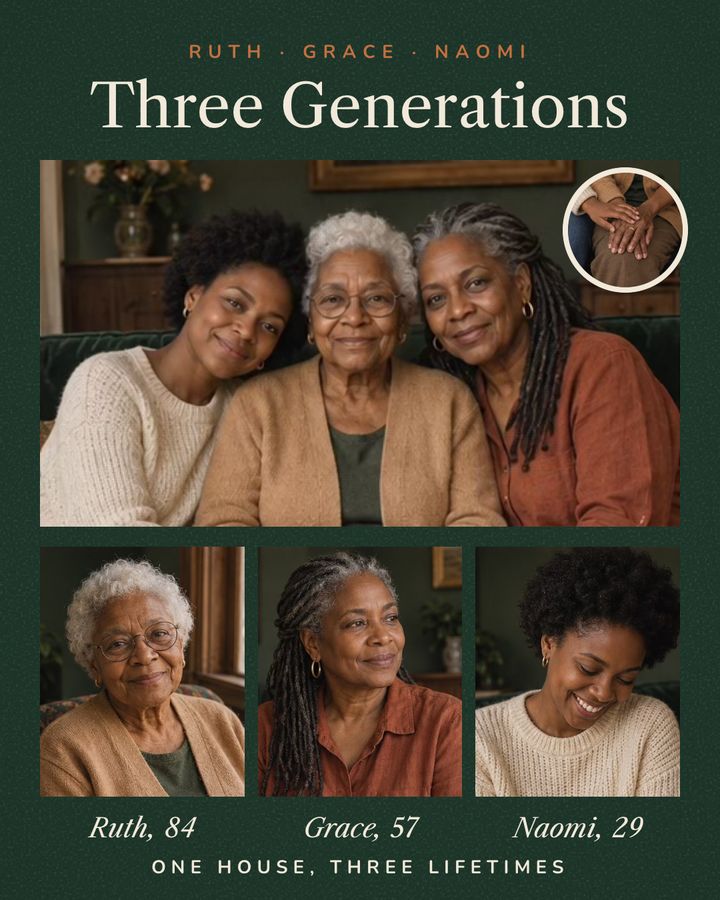
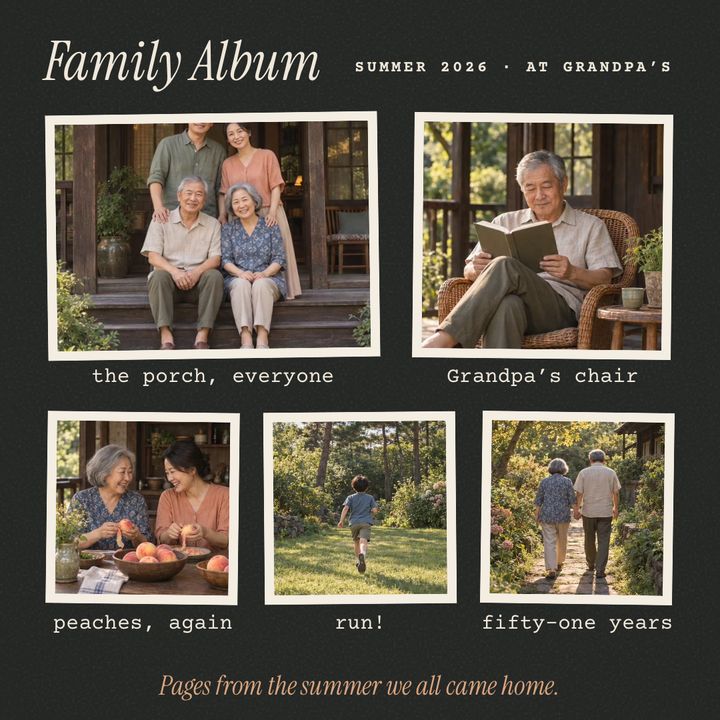
- Family templatesThree Generations (Portrait 4:5) and Family Album (Post 1:1) are among 11 Family templates, and Picnic Day (Post 1:1) is in Friends.
- Private by defaultPhotos stay on your iPhone, and Grid Co has no account.
Which size is best for a Facebook post collage?
A Facebook post collage works well as a square 1:1 or a taller 4:5. Meta's guidance for ads supports both in feed placements, suggests 4:5 for single-image Feed ads, and suggests 9:16 for Stories and Reels. Grid Co saves 1080×1080, 1080×1350 and 1080×1920 for these shapes.
| Grid Co format | Saved size | Meta's guidance for ads | Use it for |
|---|---|---|---|
| Post 1:1 | 1080×1080 | Supported in feed placements | A square post |
| Portrait 4:5 | 1080×1350 | Suggested for single-image Feed ads | A taller post |
| Story 9:16 | 1080×1920 | Suggested for Stories and Reels | A Facebook Story collage |
Source: Meta Business Help Center, checked October 2026: Best practices for aspect ratios. This is guidance for ads, not a rule for ordinary posts.
Instagram Story CollageHow do you make a Facebook post collage of family photos?
A Facebook post collage of family photos is easiest when you start from a template and swap in your own pictures. In Grid Co, open the Family category in Trends, pick an album or a portrait layout, add your photos, then save one picture to upload as your post.
- A reunion in one square post
- Three generations side by side
- A picnic or holiday album
- A year of birthdays
- A new baby, month by month
- A thank-you with a short line
The Family category has 11 templates. Three Generations is Portrait 4:5 and Family Album is Post 1:1. Picnic Day, a Post 1:1 template, is in the Friends category. Gap, Margin and Corners change how close the faces sit, and Add, then Text puts a name or date beside them. Because Grid Co saves one finished picture, the layout you designed is the layout you upload. Frames such as Polaroid, Film and Torn paper give an album feel.
FAQ
Frequently asked questions
Can I post from Grid Co straight to Facebook?
No. Share opens the iOS share sheet, where Save Image puts the picture in Photos. Which apps show up there depends on iOS and what you have installed.
How do I make a Facebook Story collage?
Choose the Story 9:16 format, fill a layout, tap Share and Save Image, then add the picture as a Story in the Facebook app.
Does Grid Co have a Facebook cover photo size?
No, Grid Co has no cover photo format. It is built for posts and Stories.
Are these Facebook's required sizes?
No. Meta's guidance is for ads, and the sizes in Grid Co are simply what it saves.
Is it free?
The app and every layout are free to use. Premium is optional: it clears the small watermark and adds Premium templates.
How many photos can I use?
Up to 20 in one collage. Each of the 215 layouts holds 1 to 10 photos, and you can add more on top as free photo layers.
