 Grid Co
Updated
Instagram Collage Maker
Grid Co is a free iPhone app for making an Instagram collage. Pick a template or one of 215 layouts, add up to 20 photos, and choose a format: Post 1:1, Portrait 4:5, Story 9:16 or Profile Grid 3:4. You can also build a carousel of 2 to 20 slides. There is no account to create.






How it works
Starting from a template instead? Open one from the Trending on Instagram collection, add your photos and tap Share.
- Open Grid Co and pick a layout from 16 families.
- Add your photos, up to 20. Grid Co uses the system photo picker, so it never asks for your whole library.
- Tap Format and choose Post 1:1, Portrait 4:5, Story 9:16 or Profile Grid 3:4.
- Adjust Gap, Margin and Corners, then add text, stickers, a background or a filter.
- Tap Share. Tap Save Image to keep the collage in Photos, or send it straight to Instagram.
- Made for Instagram25 templates in the Trending on Instagram collection, with text, stickers and frames already designed.
- Every format in one appPost, Portrait, Story, carousels of 2 to 20 slides and a 3-column profile grid puzzle.
- Your style215 free layouts, 48 font families, 201 stickers and frames such as Polaroid, Film and Torn paper.
Which Instagram format should I use?
Match the collage to where you will post it. Grid Co has a format for each.
- Post 1:1 (1080×1080) for a square feed post
- Portrait 4:5 (1080×1350) for a taller feed post
- Story 9:16 (1080×1920) for a full-screen Story
- Carousel, 2 to 20 slides, 4:5 or 1:1, each slide 1080 px wide
- Profile Grid 3:4 (1080×1440), tiles for a 3-column puzzle feed
Templates for an Instagram collage
The Trending on Instagram collection has 25 ready-made templates, such as Weekend Dump, Riviera Polaroids, Coffee Date, Bow Era, Fits of the Week and Highlands Road Trip (a carousel). Some templates are Premium.
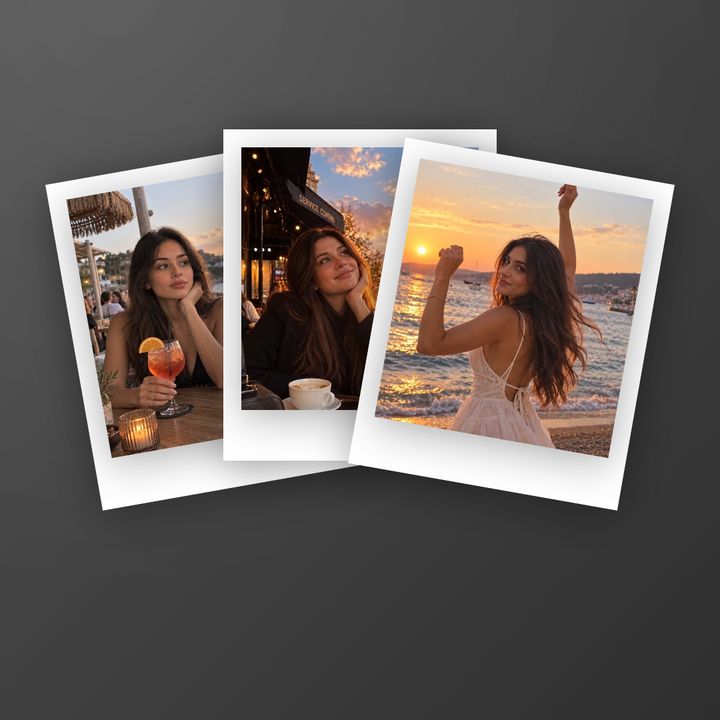


Templates or layouts: which should you start from?
Templates are finished designs and layouts are empty frames, so start from a template if you want a result fast and a layout if you want to design it yourself. Both save at the same Instagram sizes and open in the same editor, and you can change a template like a layout.
| Templates | Layouts | |
|---|---|---|
| How many | 184 in 19 categories | 215 in 16 families |
| Cost | 103 free, 81 Premium | All free |
| What is ready | Text, stickers, frames, layout | Only the arrangement of the photo cells; you add the rest |
| Best for | A finished look in a minute | Your own design |
FAQ
Frequently asked questions
What is the best app to make a collage for Instagram?
That depends on what you need. Grid Co is a free iPhone app built around Instagram formats: Post, Portrait, Story, carousel and profile grid. It has no account and no AI.
What size is an Instagram collage?
In Grid Co you choose: Post 1:1 is 1080×1080, Portrait 4:5 is 1080×1350, Story 9:16 is 1080×1920 and Profile Grid 3:4 is 1080×1440. For Instagram's own rules see the Instagram post size guide.
Can I post the collage straight to Instagram?
Grid Co can send an Instagram collage straight from the share sheet: tap Share, then choose Instagram. You can also pick Save Image to Photos and post it from Instagram yourself. Both use the same Instagram sizes.
Is the Instagram collage maker free?
Yes, the download and every layout are free. Grid Co Premium is optional: it removes the small "Grid Co" watermark from exports and unlocks the Premium templates.
How many photos can I put in one collage?
A Grid Co collage holds up to 20 photos. You choose them with the system photo picker, then arrange and edit them in the editor.
Which iPhones does it work on?
Grid Co works on iPhone with iOS 26 or later. The app is free, and exports carry a small Grid Co watermark unless you subscribe to Grid Co Premium.
