 Grid Co
Updated
Photo Booth Collage
To make a photo booth collage on iPhone, choose a film strip layout or a Photo Booth template in Grid Co. Add four or six photos in a row, pick a Film frame or a plain background, and save. It is free, with no account to create.



How it works
- Open Grid Co and pick a Photo Booth template or a film strip layout.
- Fill the strip with your photos. Four similar poses make the classic strip.
- Set the strip's shape: Story 9:16 for a tall one, or Portrait 4:5 for a feed post.
- Choose the Film frame for a film border, use Text for a date or a line, and set the background.
- Tap Share and then Save Image, or send the strip to Instagram.
- Photo Booth templatesStrips in black and white or colour, with room for text.
- Film frameA film-strip border for your photos.
- Strip-shaped canvasStory 9:16 is 1080×1920, tall enough for a strip.
What can you put in a photo booth collage?
A photo booth collage is a short strip of quick, similar shots. Grid Co has Photo Booth templates with four or six photos and eight film strip layouts that hold three to six, so you can match the strip to the people and the occasion.
- Four poses with a friend
- A date night strip
- A party, with the same crew
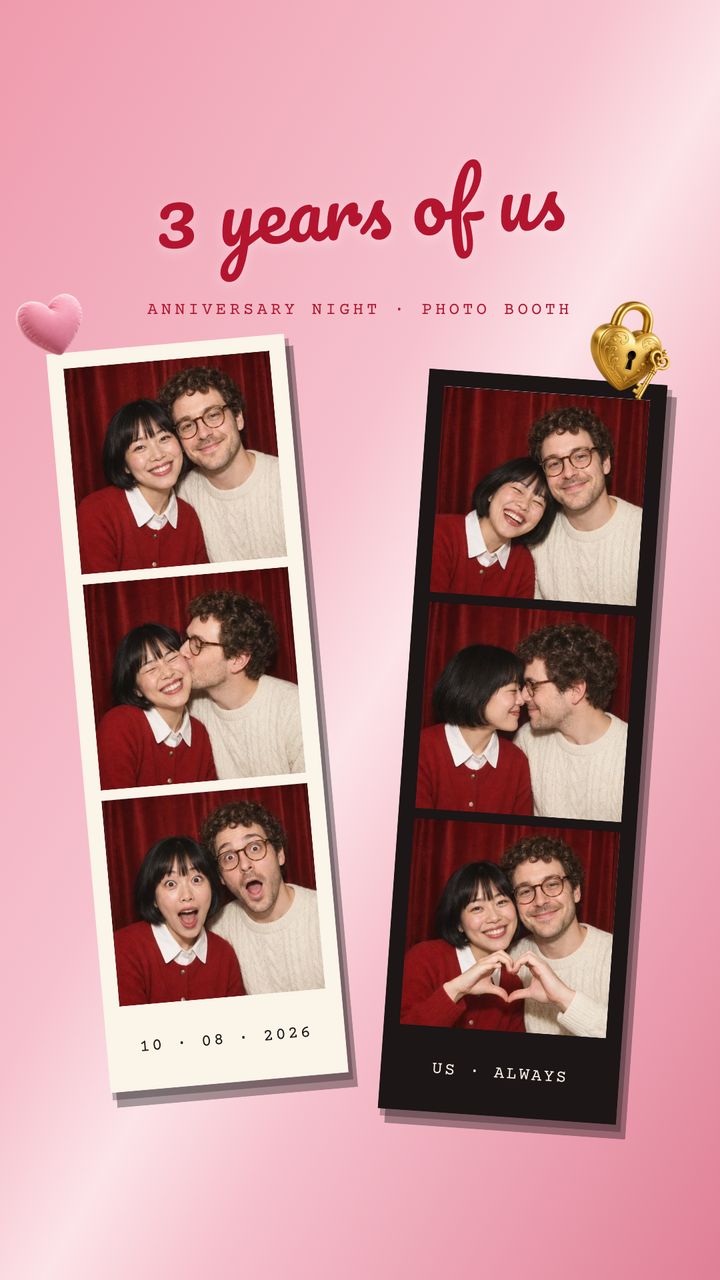
- An anniversary, with the date underneath
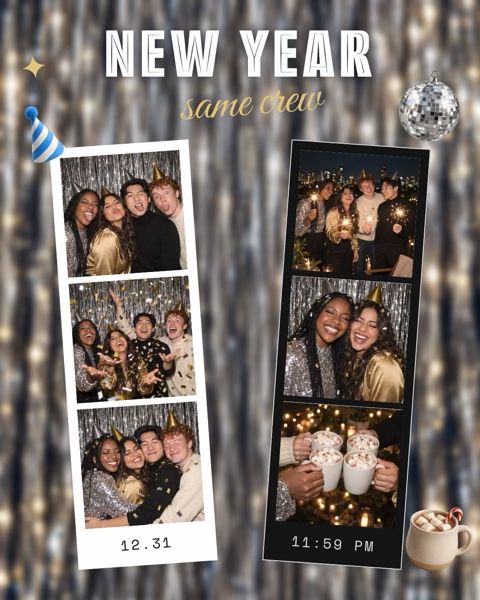
- A New Year party in two strips
- A black and white strip with a line of text underneath
Which photo booth strip layout should you pick?
A photo booth collage can start from a ready template or a film strip layout. Templates add text and a finished look, while the layouts give you vertical or horizontal strips, a wide trio or a four-photo Photobooth layout, and the Film frame adds a border.
- Photo Booth, Black & White: Story, 4 photos, free
- Photo Booth, Love & Couple: Story, 6 photos in two strips, free
- Same Crew: Portrait, 6 photos, free
- Vertical strip layouts for 3, 4 or 5 photos
- A double vertical strip for 6 photos
- Horizontal strips for 3 or 4 photos
The black and white Photo Booth shows "ONE BOOTH ONE MINUTE NO RETAKES" and "four frames". The Love & Couple one says "3 years of us" and uses one cream strip and one black strip. Same Crew reads "NEW YEAR", "12.31" and "11:59 PM". The Mono and Noir filters are black and white. Film is also a colour filter, separate from the Film frame.
| Template | Category | Format and photos | Access |
|---|---|---|---|
| Photo Booth | Black & White | Story 9:16, 4 photos | Free |
| Photo Booth | Love & Couple | Story 9:16, 6 photos | Free |
| Same Crew | Special days | Portrait 4:5, 6 photos | Free |
FAQ
Frequently asked questions
How do I make a photo booth strip on iPhone?
Pick a Photo Booth template or a film strip layout, add four photos and save.
How many photos are in a strip?
The Photo Booth templates take four or six photos, and the film strip layouts hold 3 to 6.
Can I make it black and white?
Yes. There is a black and white Photo Booth template, and the Mono and Noir filters turn any photo black and white.
How tall is a photo booth strip?
Story 9:16 saves 1080×1920, a tall image that suits a strip.
Can I put a date on the strip?
Yes. Tap Add, then Text.
Do the Photo Booth templates cost anything?
No. The Photo Booth templates and layouts are free. Premium only removes the small "Grid Co" watermark and unlocks the Premium templates.
