 Grid Co





How it works
- Open Grid Co and go to Trends: Birthday Era is in Celebrate, Turning One in Baby. Or pick a free layout.
- Pick the birthday photos you want from the system photo picker.
- Change the text to a name, an age or a short message.
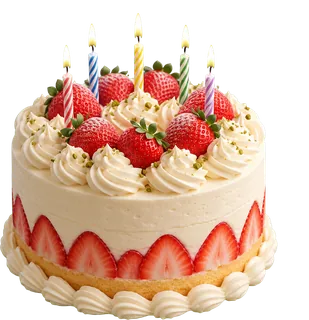
- Add stickers, such as the party hat or the strawberry cake, and pick a background colour.
- Pick Post 1:1, Portrait 4:5 or Story 9:16 to suit where it will go, then tap Share and Save Image.
- Two birthday templatesBirthday Era, and Turning One for a first birthday.
- Name, age and stickers48 font families for the words, and 201 stickers including a party hat and a strawberry cake.
- Feed or StoryPost, Portrait and Story formats, all 1080 px wide.
What can you put in a birthday photo collage?
A birthday photo collage can show the whole year or just the party. Grid Co has two birthday templates, Birthday Era and Turning One, and both are Premium. For a free route, start from any layout, then add text and stickers such as a party hat.
- One photo for each year
- A first birthday, month by month
- Friends at the party, with the age in big text
- A thank-you card after the party
- A round layout cut into 4 or 6 slices for party photos
- A name and age over a plain colour
How do you make a birthday collage without a template?
A birthday photo collage without a template starts from any of the 215 free layouts. Add your photos, then tap Add, then Text for a name or an age, and add stickers such as a party hat. Pick a bold font and a background colour that suits the theme.
- Use a bold font for the age or the name
- Choose a background colour that matches the theme
- Keep stickers to two or three
- Use photos from the same day together
- Try a round layout split into 4 or 6 slices
Birthday Era comes with the words "birthday era", "MAKE A WISH" and "cherries on top, always", plus a time and date line. Turning One has "Leo is ONE" and "a very small party for a very big day", with 5 photos. Both are square Post 1:1 and Premium. The free route can use any free layout with the party hat and strawberry cake stickers.
| Template | Category | Format and photos | Access |
|---|---|---|---|
| Birthday Era | Celebrate | Post 1:1, 5 photos | Premium |
| Turning One | Baby | Post 1:1, 5 photos | Premium |
FAQ
Frequently asked questions
How do I make a birthday collage on iPhone?
Pick a birthday template or a layout, add your photos, change the text and save.
Which birthday template is free?
Neither. Birthday Era and Turning One are both Premium. The free route is any layout with text and stickers.
Can I make one without a template?
Yes. Use any of the 215 free layouts, then add text and stickers, for example on a circle split into 4 or 6 slices.
How do I make a first birthday collage?
Use Turning One, or a baby template. Add your favourite photos from the first year.
Can I share it to Instagram?
Yes. Tap Share and send it to Instagram, or choose Save Image.
Does a birthday collage need Premium?
Not if you build it from a layout. Premium only removes the small "Grid Co" watermark and unlocks the Premium templates, including the birthday ones.
