 Grid Co
Updated
Shape Photo Collage
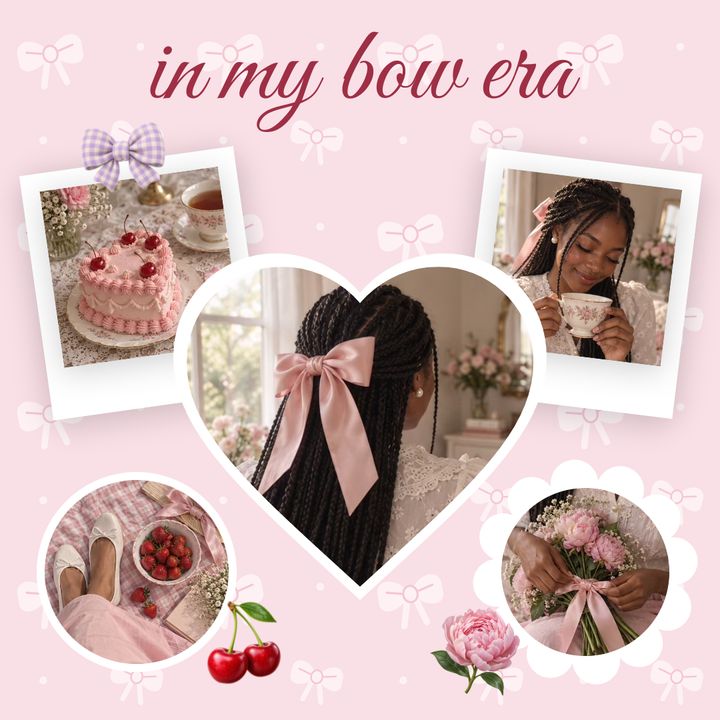
To make a shape photo collage on iPhone, tap Add, then Add Frame in Grid Co. Choose a shape such as a circle, star, hexagon or arch, then fill it with a photo. Or start from a layout with shaped cells. Add more shapes, then save. It is free, with no account.





How it works
- Open Grid Co and pick a layout, or start with a plain background.
- Tap Add, then Add Frame, and choose a shape: circle, star, hexagon, arch, drop and more.
- Tap the empty frame and choose a photo from the system photo picker.
- Drag and resize the frame. Add more shapes for more photos.
- Pick a background, then tap Share and Save Image.
- A shape for every photoCircle, star, diamond, hexagon, arch, drop and others.
- Shaped layoutsLayouts with star, cloud and balloon silhouettes, and a honeycomb of hexagon and circle cells.
- Mix and matchCombine shapes and a grid in one collage.
What shapes can you use in a photo collage?
A shape photo collage puts photos inside forms such as a circle, star, hexagon or arch instead of plain squares. In Grid Co, Add Frame gives you an empty shape to fill with a photo, and some layouts already have shaped cells.
- Three circles in a row for a trip
- A star for a favourite photo
- A honeycomb for a group of friends
- An arch for a portrait
- A drop or capsule for a small detail shot
- A daisy or butterfly layout for a spring set
How do you make a heart-shaped photo collage?
A heart-shaped photo collage has its own guide, with 11 heart-shaped layouts to choose from. For a single heart, use the same Add Frame steps as above, pick the heart from the shape list, then fill it with a photo.
- See the Heart Photo Collage Maker for the heart layouts
- Use the Add Frame steps above for a single heart
- Choose a heart silhouette layout for several photos
- Pair a heart with a soft background colour
- Add a short name or date with Text
Add Frame groups its shapes in four sections. Basic has rectangle, rounded rectangle, circle, capsule, heart, star, diamond, arch, hexagon, drop, parallelogram and ticket. Organic has blobs, Edge has scallop and wave, and Frames has themed shapes. Shaped layouts include star window, daisy, butterfly, cloud, sun and balloons, a circle split into 4 or 6 slices, plus honeycombs of 3 to 10 hexagon or circle cells.
FAQ
Frequently asked questions
How do I make a circle photo collage on iPhone?
Tap Add, then Add Frame, choose the circle, and fill it with a photo. Repeat for more circles.
Which shapes are available?
Circle, star, diamond, hexagon, arch, drop, capsule and more, plus heart.
Can I make a star-shaped collage?
Yes. Use the star in Add Frame, or pick a layout with a star silhouette.
Can I mix shapes in one collage?
Yes. Add as many frames as you like, up to 20 photos.
Can I move and resize a shaped photo?
Yes. Drag it, and resize it by dragging the corners.
Is it free?
Yes. Grid Co Premium only removes the small "Grid Co" watermark and unlocks the Premium templates.
