 Grid Co
Updated
TikTok Photo Collage Maker
A TikTok photo collage is one picture that holds several photos, made before you post. In Grid Co you choose the Story 9:16 format, which saves a tall 1080×1920 JPEG, add your photos, then tap Share and Save Image. You upload it from the TikTok app yourself. It is free, with no account.



How it works
- Tap Format and choose Story 9:16 before you place anything.
- Open the Trends tab and try the Stories category, or start from any layout.
- Choose the photos for your post in the iOS photo picker, up to 20.
- Tune the look with Gap, Margin and Corners, then type a caption line with Add, then Text.
- Tap Share and wait until the images are ready. Tap Save Image, then open TikTok and add the picture from Photos.
- Tall by designStory 9:16 saves a 1080×1920 JPEG.
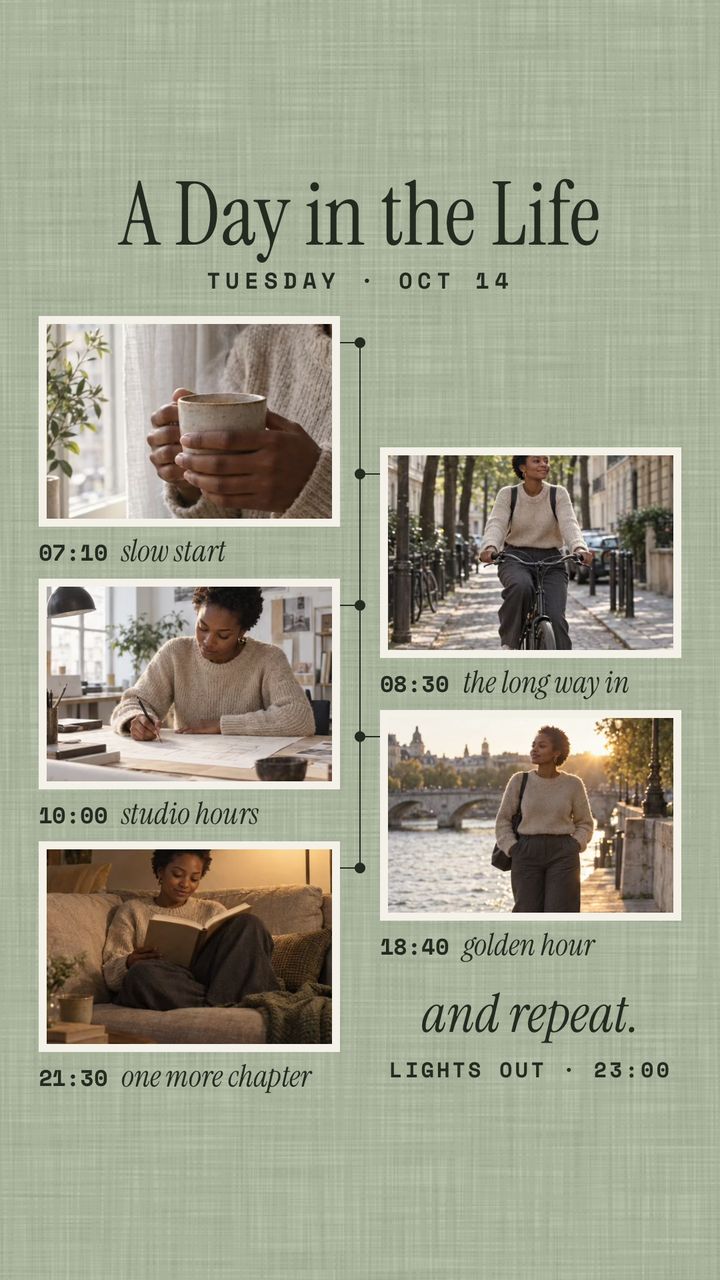
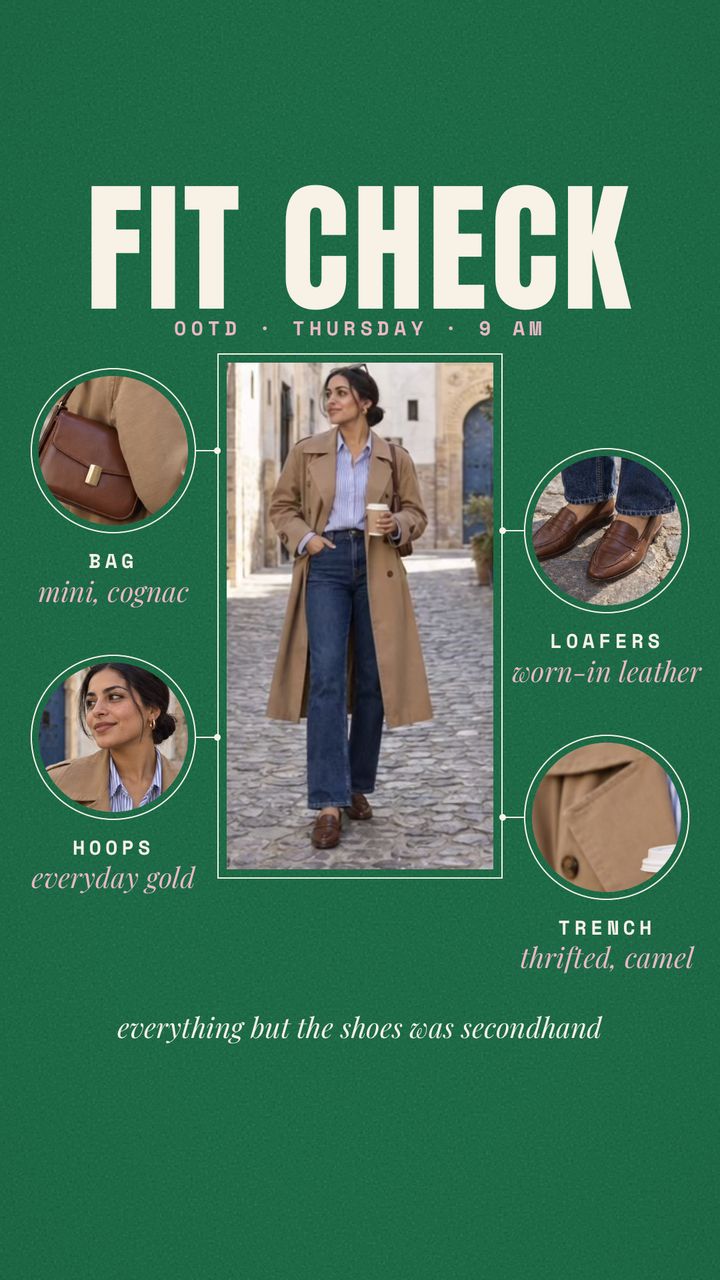
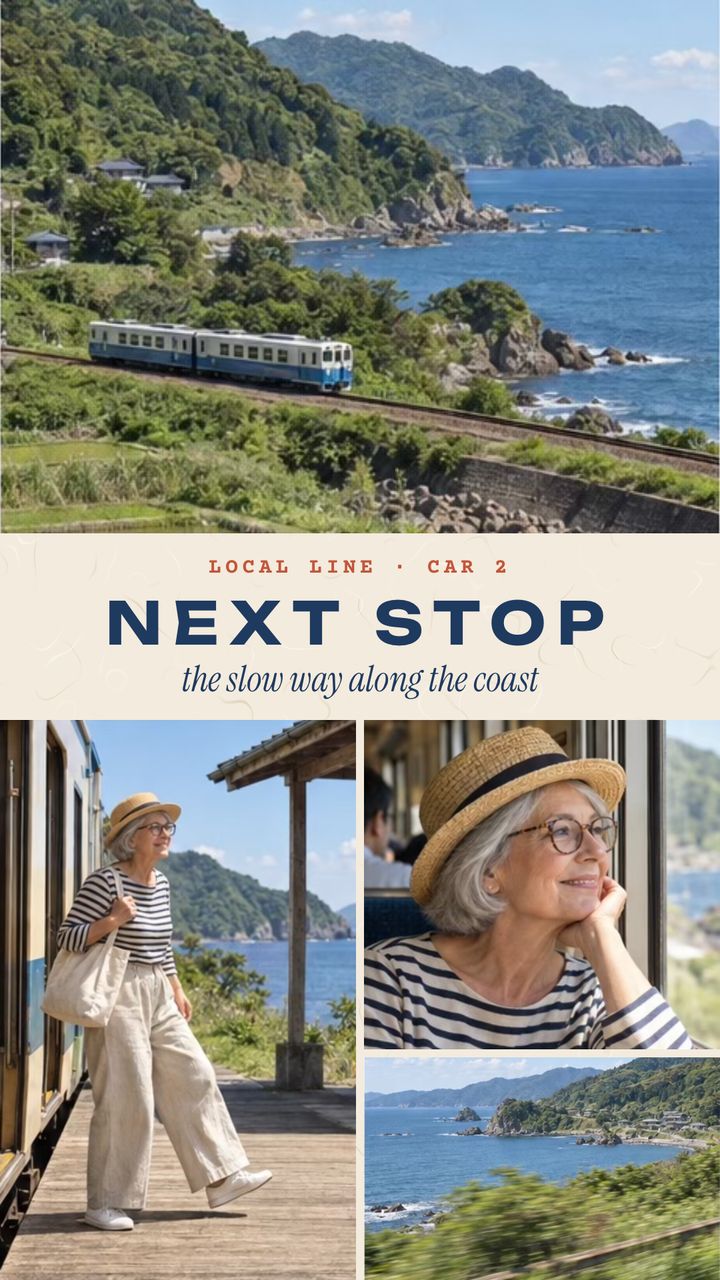
- Story templates to start fromA Day in the Life, Fit Check and Next Stop are 9:16 templates in the Stories and Travel categories.
- A set, not just oneCarousel saves up to 20 numbered slides, each as its own 4:5 or 1:1 image.
What size is a TikTok photo collage?
A TikTok photo collage has no fixed ratio in the TikTok documents we checked for photo posts. Grid Co's Story 9:16 saves 1080×1920, a tall image that fills an upright phone screen. TikTok's developer guide lists JPEG and 1080p as supported, and this size matches both.
| Grid Co format | Ratio | Saved size | Shape |
|---|---|---|---|
| Story | 9:16 | 1080×1920 | Tall, fills a phone held upright |
| Portrait | 4:5 | 1080×1350 | Slightly tall |
| Post | 1:1 | 1080×1080 | Square |
| Carousel | 4:5 or 1:1 | 1080 px wide, 2–20 slides | A set of separate images |
Source: TikTok for Developers, checked October 2026: Photo post reference · Media Transfer Guide. These are API rules, not rules for the TikTok app.
Instagram Story CollageWhat can you put in a TikTok photo collage?
A TikTok photo collage suits a small story told in a few frames: one day, one trip or one outfit. In Grid Co the Story 9:16 format gives each photo room in a tall frame, and you can add short text, stickers and a background to tie them together.
- A day in five small moments
- An outfit in three angles
- A trip in a photo strip
- A before and after pair
- A recap with one short caption
- A photo dump with a calm background
The Stories category in Trends holds 9 templates, all 9:16, and Next Stop sits in the Travel category. A Day in the Life and Fit Check are Stories templates to open and fill with your own photos. Everything is yours to change: 48 font families, 201 stickers and 62 designed backgrounds sit in the editor, and 8 filters set the mood. Grid Co exports still JPEG pictures only, so there is no video, music or animation.
FAQ
Frequently asked questions
Can I post straight to TikTok from Grid Co?
No. Grid Co does not connect to TikTok. Save the picture with Share and Save Image, then upload it in the TikTok app.
Does it make video collages?
No. Grid Co makes still pictures, saved as JPEG, with no video, music or animation.
What is the best size for photos on TikTok?
TikTok's developer documents list JPEG and WebP images up to 1080p, and give no ratio for photo posts. A 1080×1920 JPEG from the Story format is a tall option within the JPEG and 1080p limits.
How many photos can go in one post?
TikTok's developer documents allow up to 35 photos in one photo post. Grid Co puts up to 20 photos in one collage, or makes up to 20 separate carousel slides. For more tall pictures, make one Story collage for each.
Is it free?
You can make and save collages at no cost. A small "Grid Co" mark appears on exports unless you add Premium, which also opens the Premium templates.
Do I need an account?
No. Your photos stay on your iPhone and are not uploaded. Grid Co needs iOS 26 or later.
